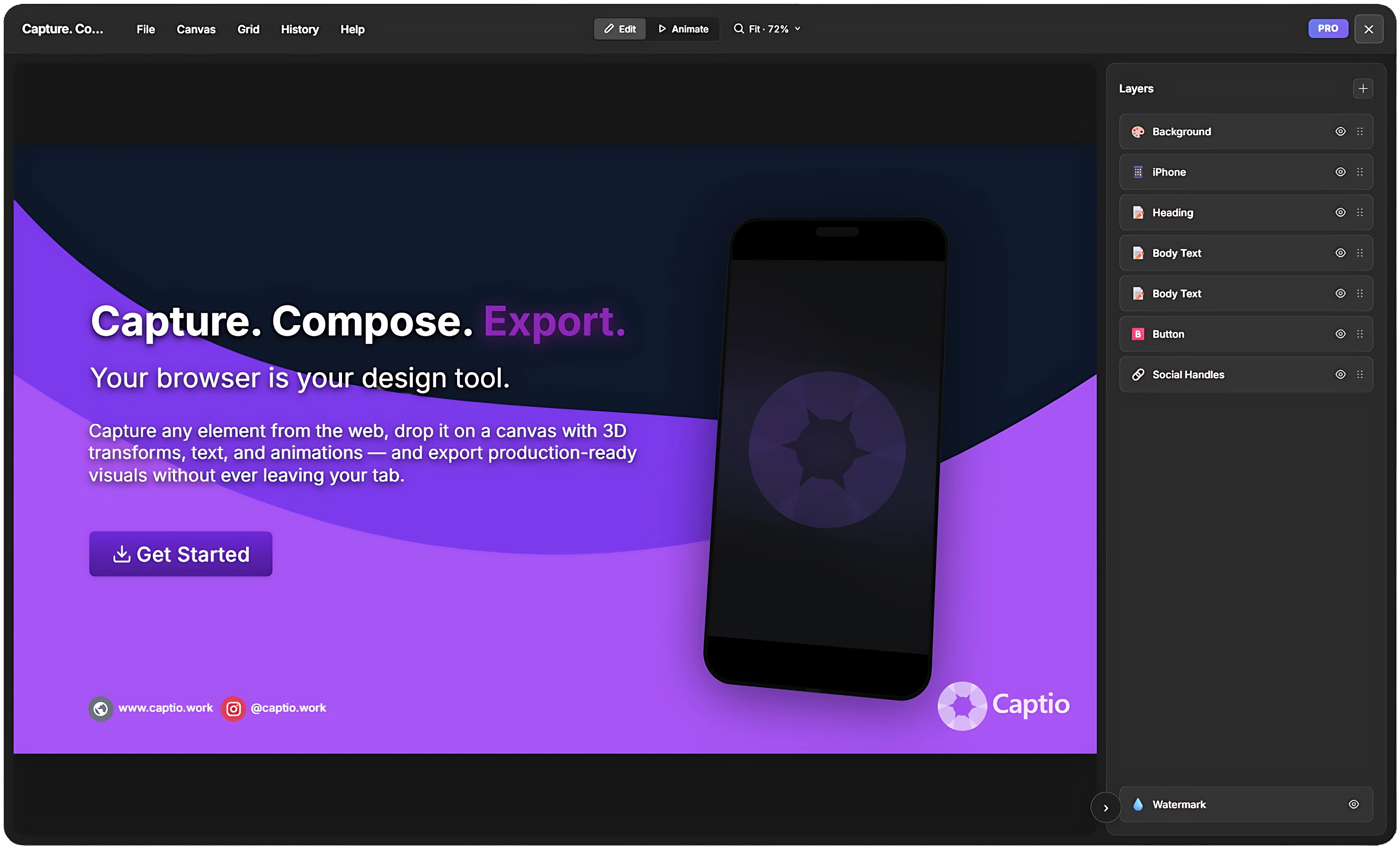
Capture. Compose. Export.
Turn any element on any website into a polished, ready-to-share visual — in seconds, not hours.


Everything you need. Nothing you don't.
A full design toolkit that lives in your browser.
Smart Capture
Hover over any element on any page and capture it with one click. Or draw a custom area, grab the viewport, or stitch a full-page screenshot.
Layer Compositor
Compose screenshots with text, buttons, device mockups, and more on a configurable canvas. Eight layer types, unlimited combinations.
3D Transforms
Add perspective tilts, rotations on all three axes, and scale transforms. Create Apple-style product shots in seconds.
Rich Text
Full rich-text editing with TipTap. Per-character formatting, 31 text-shadow presets, three text variants (headline, body, caption).
Presets & Templates
Start with a curated template or design from scratch. Button presets inspired by Stripe, Vercel, Linear. Background gradients, shadow presets, and more.
Smart Snapping
Snap guides align layers to edges, centers, and each other. Grid overlay with configurable subdivisions.
Animation & Video
Animate every layer with 20+ entry presets, character-level effects, and a full timeline. Export as MP4 or WebM.
Multi-Format Export
Export as PNG, JPEG, WebP, PDF, or copy to clipboard. Video export in MP4 and WebM. High-resolution 2x mode for retina displays.
Project Management
Save, organize, and revisit your work. Persistent local storage. Switch between projects instantly.
Three steps to a polished screenshot
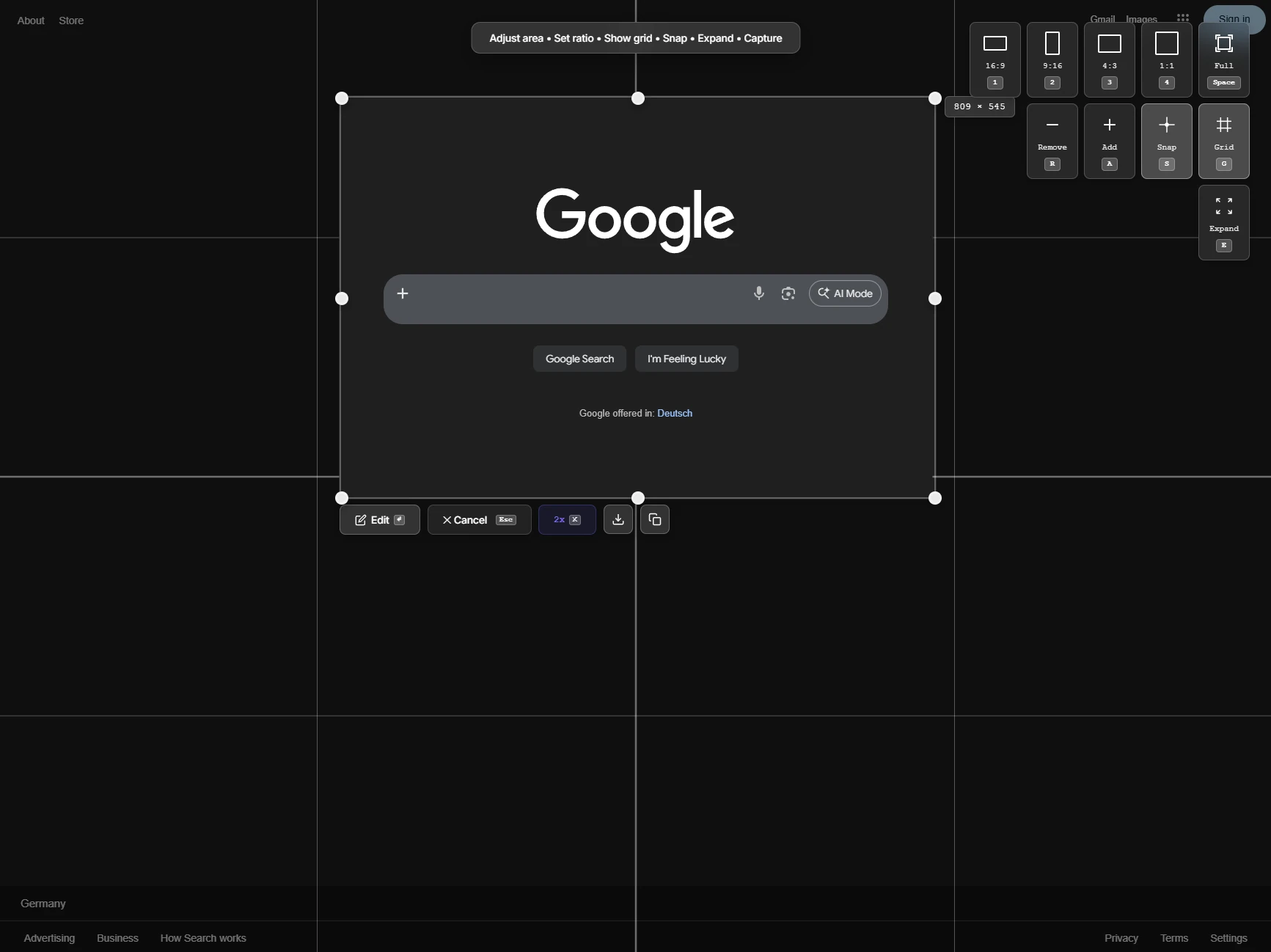
Capture anything
Hover over any element on any website. Click to capture it. Or draw a custom area, grab the full viewport, or stitch a scrolling full-page screenshot.
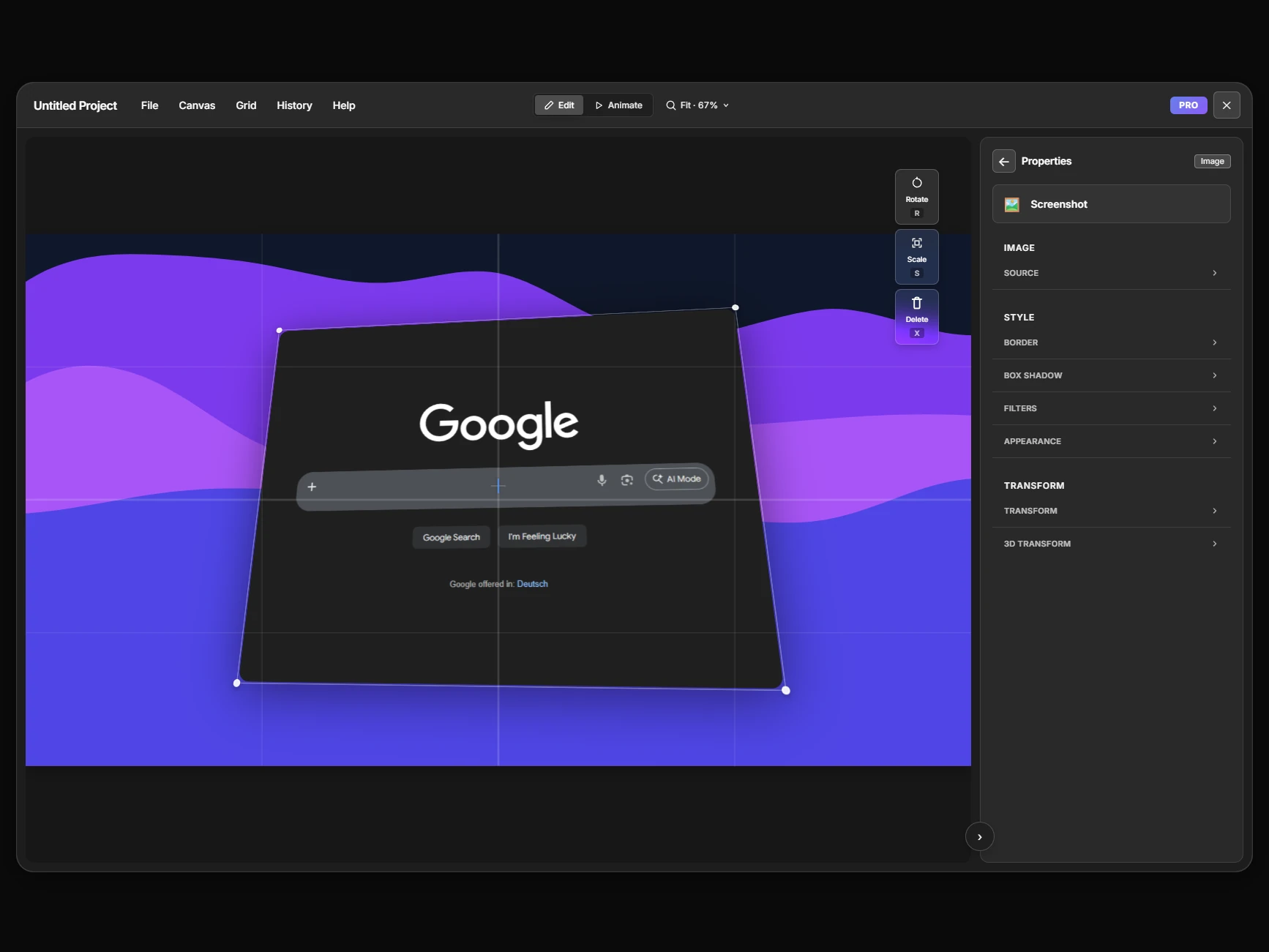
Design in the compositor
Choose a template or start from scratch. Add text, buttons, icons. Apply 3D transforms, shadows, gradients. Animate with 20+ motion presets and a full timeline.
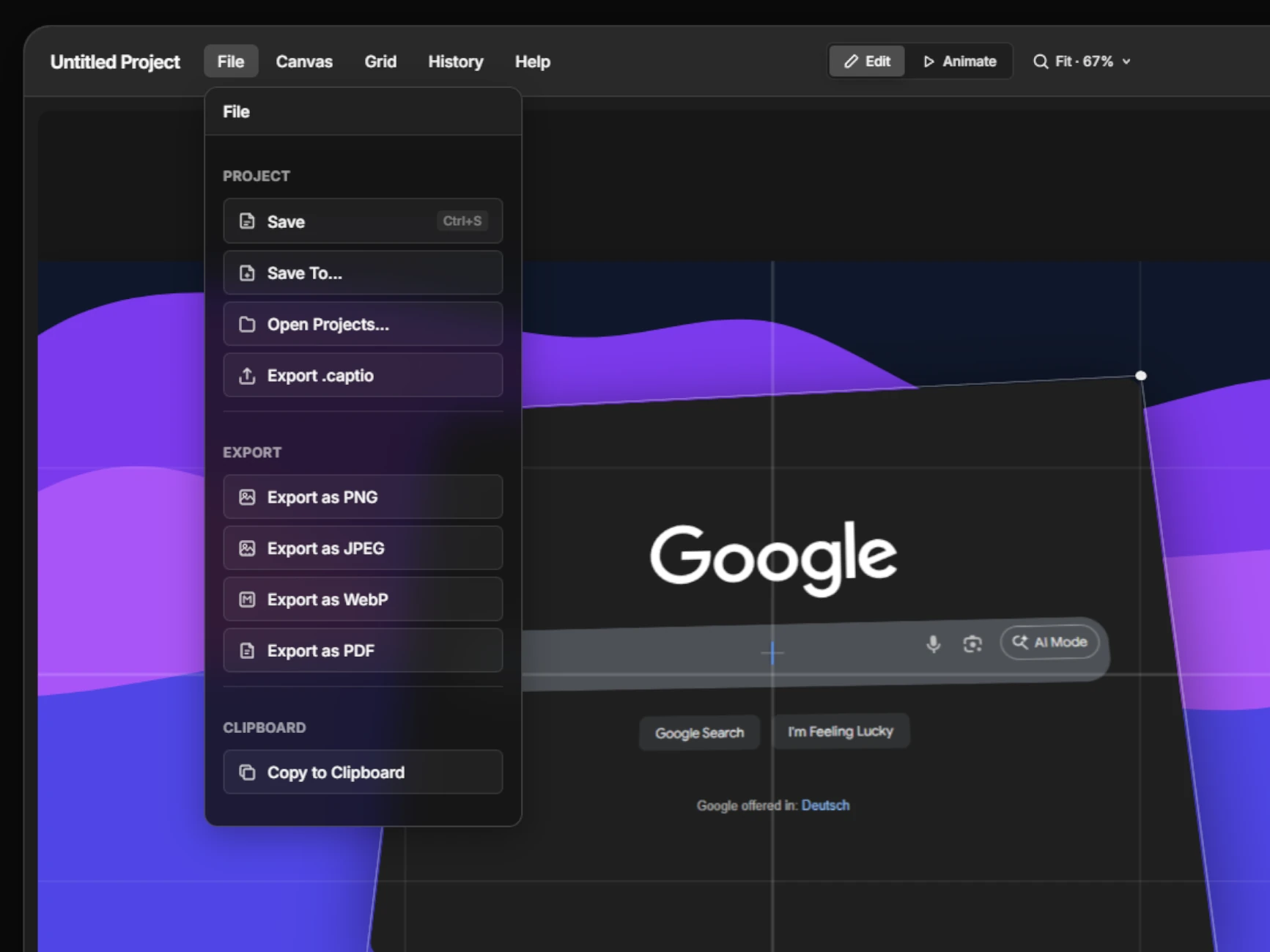
Export and share
Export as PNG, PDF, or copy to clipboard. Render animated videos as MP4 or WebM. One-click from design to done.
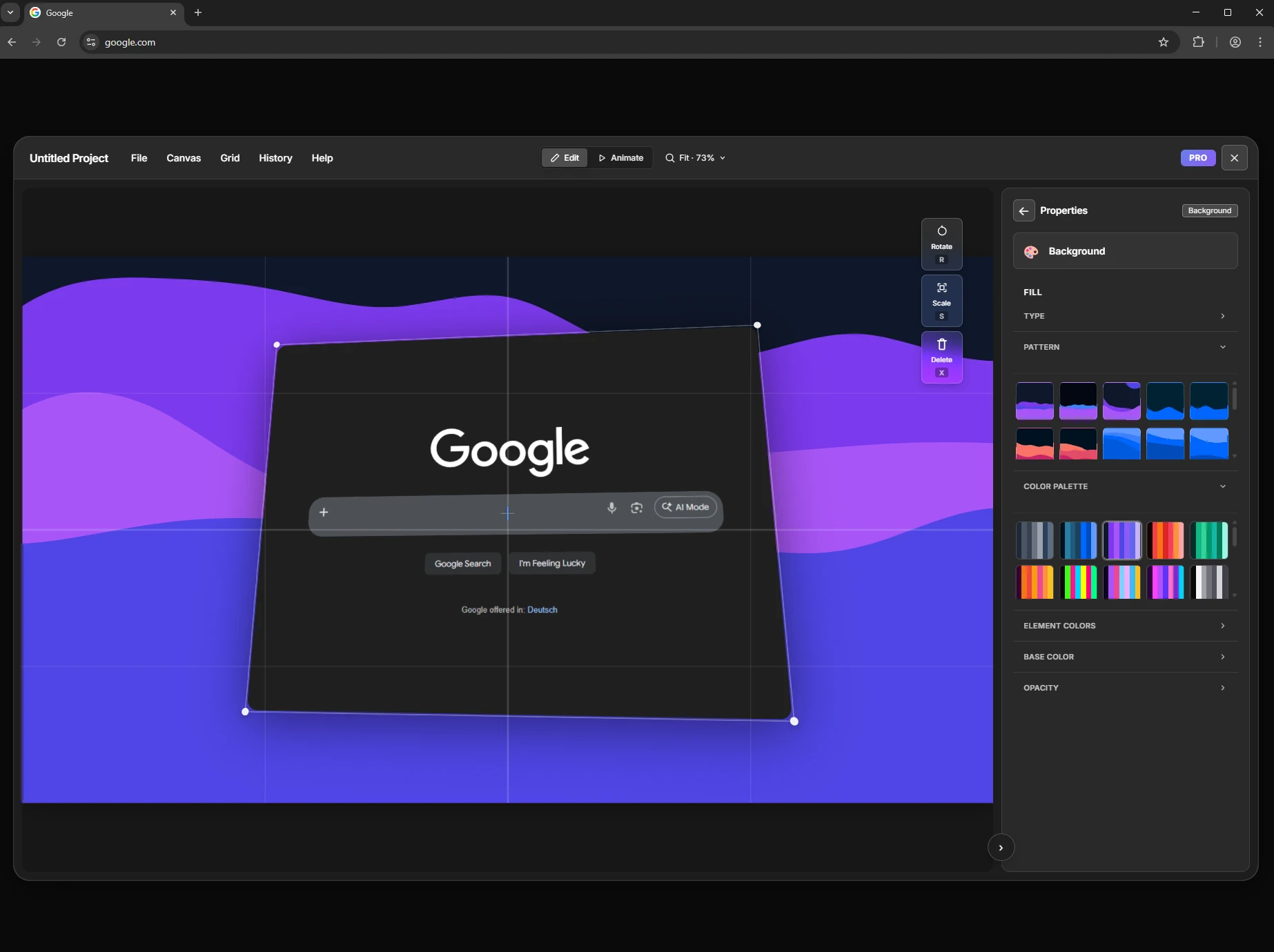
A design tool in your browser
- 8 layer types — background, image, text, button, icon, notification, device & social handles
- Config-driven property panels with real-time preview
- 3D transforms with perspective, rotation on all axes
- Smart guides and grid snapping
- 50-step undo/redo with visual history
- 6 aspect ratios from 21:9 ultrawide to 9:16 portrait
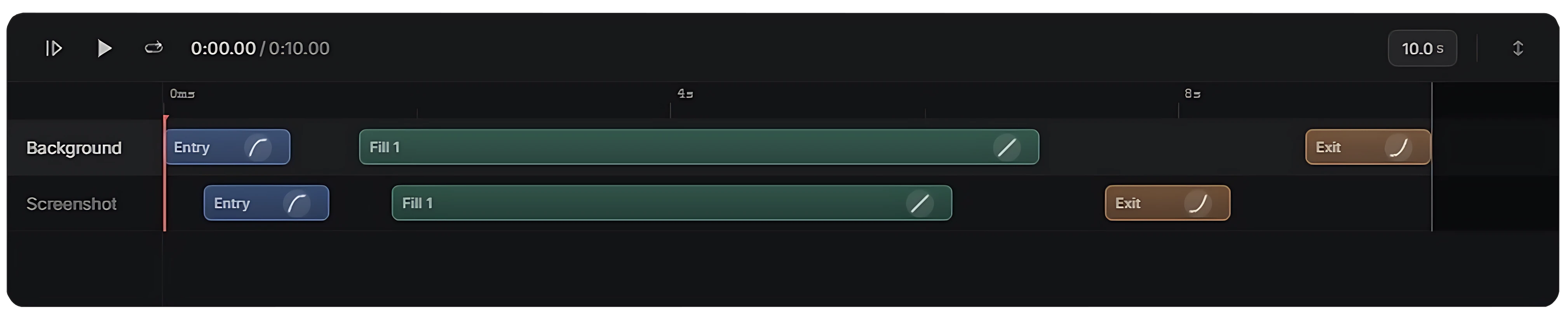
Bring screenshots to life
Add entry animations, looping effects, and exit transitions to every layer. Scrub the timeline, adjust easing curves, and export as MP4 or WebM — all inside the browser, powered by the WebCodecs API.
20+ Presets
Typewriter, cascade, perspective tilt, blur reveal, and more
Character Animation
Per-character effects for text layers — typewriter, scramble, staggered scale
Full Timeline
Drag playhead, per-layer lanes, entry/fill/exit segments
Record your screen, window, or tab
Not every capture needs compositing. Hit record, pick a source, and get a video file — straight from the browser.
- Record any screen, window, or browser tab — powered by Chrome’s native display picker
- Optional system audio capture alongside your recording
- Microphone input for voice-overs and narration
- Pause, resume, and stop from an in-page recording widget
- Works everywhere — even on restricted pages like chrome:// and new tabs
- Recordings stay on your device — nothing uploaded to any server
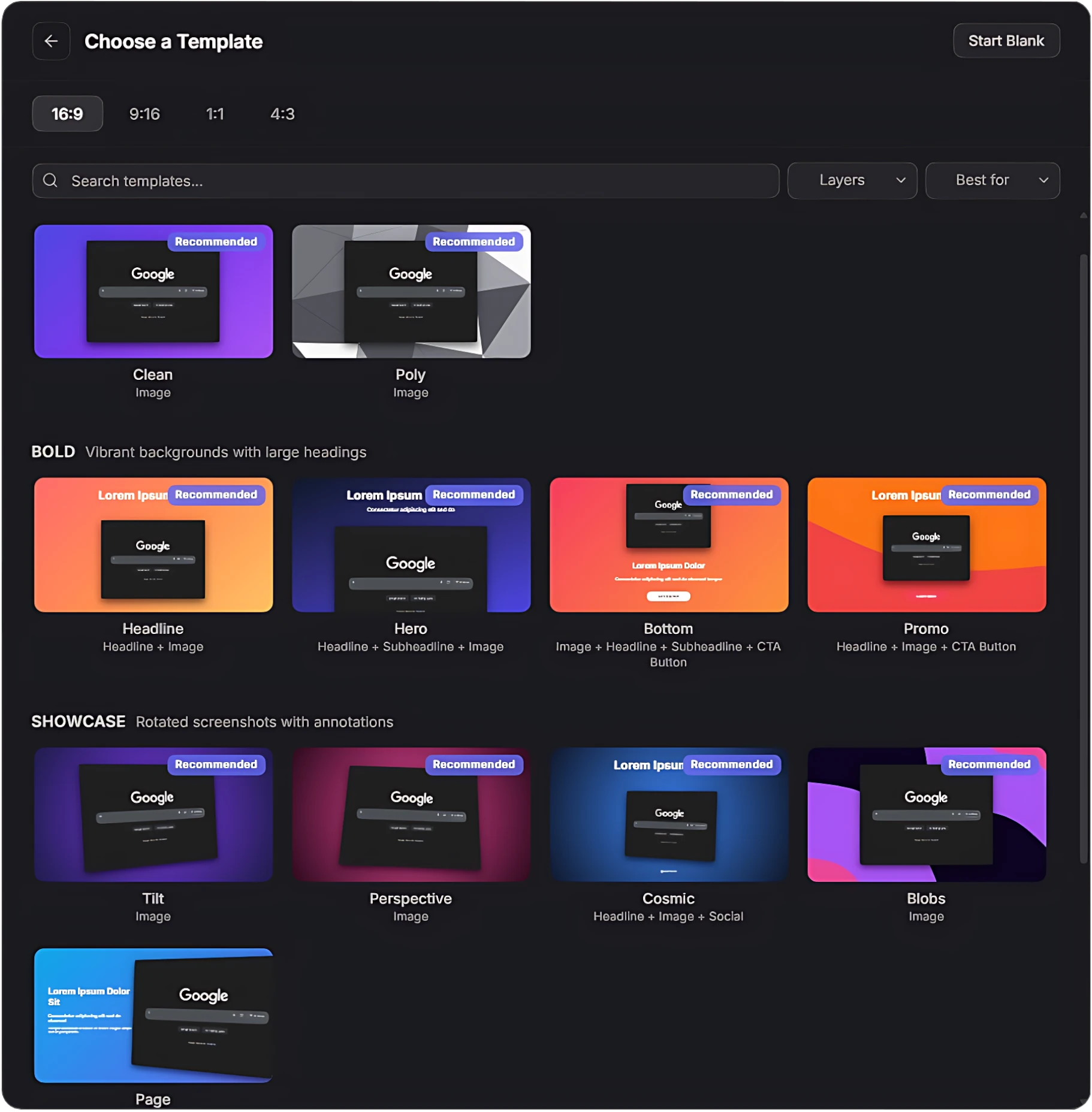
Start polished, not blank
Choose from curated templates designed for product screenshots. Headlines, split layouts, 3D showcases, minimal frames — pick one and customize.
One price. Everything included.
No subscription. No feature tiers. Pay once, use forever.
Free
Get started
- Capture any element, area, or full screen
- 8 layer types with full styling tools
- Smart guides, snapping & 50-step undo/redo
- PNG, JPEG, WebP & clipboard export
- Captio watermark on exports
- 1x resolution only
- No project save
Pro
Lifetime license
- Everything in Free, plus:
- Clean exports — no watermark
- 3D perspective transforms & 20+ rotation presets
- Animation engine with 50+ presets & video export
- Device mockups — iPhone, iPad & MacBook like frames
- All aspect ratios — 16:9, 9:16, 1:1, 4:3, 3:4, 21:9
- 50+ curated templates
- 30+ text effects, image upload & social handles
- PDF export & 2x retina resolution
- Full page capture & unlimited projects
- 7-day free trial included
All prices are final. No VAT charged (small business exemption, §19 UStG). Instant access after purchase.
Questions
- Captio works on all Chromium-based browsers — including Chrome, Edge, Brave, Arc, Opera, and Chromebooks. Install it from the Chrome Web Store or Edge Add-ons.
- Captio is free to install and use. You can upgrade to Pro directly inside the extension to unlock all features.
- No. Everything runs locally in your browser. Screenshots are never uploaded. Export rendering happens client-side. Your data stays on your machine.
- Yes. Captio can be used for any purpose — personal, commercial, or client work.
- You can reach us anytime via the contact form on this page or by emailing info@captio.work. We typically respond within 24 hours.
Ready to make better screenshots?
Install Captio and start capturing in under a minute.
Get CaptioFree to use. No account required.
Get in Touch
Have a question, found a bug, or want to collaborate? We'd love to hear from you.